Claude Code + n8n Automation: 3 GSD Framework Wins
The Six-Hour Mistake That Keeps Repeating
Picture this: a developer spends six hours wiring together a workflow—Slack notifications, a CRM update, a data sync between two internal tools. It works. They demo it. Everyone's impressed. The next morning, it breaks. Not because the code was wrong. Because they automated the wrong process entirely. The business logic changed two weeks ago, and nobody told the automation team.
Read also: Claude Code for Beginners: Setup, Tips & First Project
This is the hidden cost nobody talks about when discussing modern automation tools. The assumption that "no-code" or "AI-assisted" means "no thinking required" has become one of the most expensive misconceptions in software operations, leading teams to spend more time building automations than they ever spent doing the manual work those automations were supposed to replace.
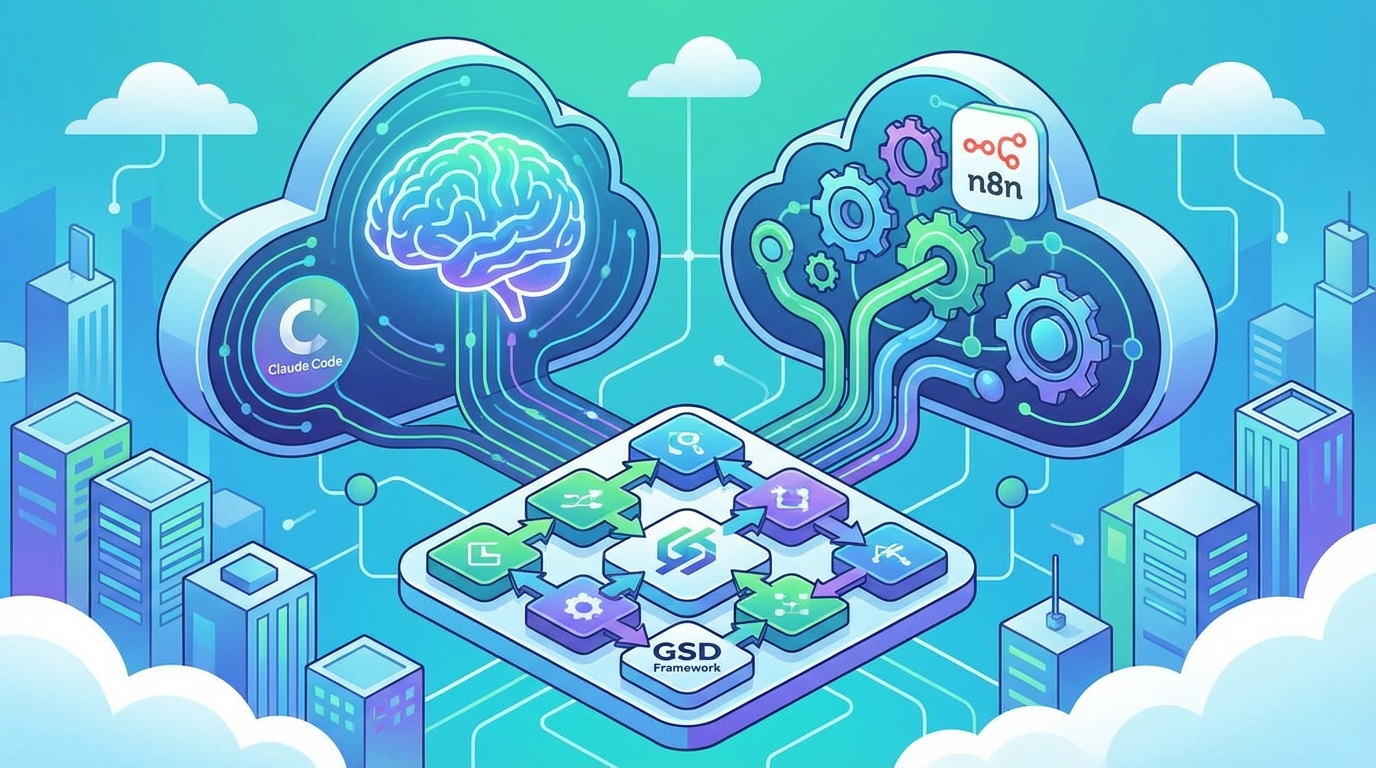
The tools have gotten extraordinary. Claude Code can scaffold entire workflows from a prompt. n8n gives you a visual canvas to wire together hundreds of integrations. The GSD framework promises to cut through the noise and focus on what matters. But tools without judgment are just expensive toys. And right now, a lot of teams are playing with very expensive toys.
The Automation Paradox: Why More Tools Mean More Broken Workflows
The explosion of automation platforms hasn't made automation easier. It's made choosing the right automation approach nearly impossible.
Read also: Who Invented the QR Code? The Japanese Engineer Who Changed How We Share Information
Teams today face a complex decision tree. They grapple with whether to use Claude Code for a custom script, or build it visually in n8n. Perhaps Zapier is faster for a specific integration, or maybe Make for data transformation. Ultimately, they might just decide to write Python and be done with it. Each option has different strengths, limitations, maintenance profiles, and failure modes. The cognitive overhead of evaluating these options often exceeds the effort of just doing the task manually.
Marketing pages won't tell you this: "easy to start" and "easy to maintain" are completely different qualities. A workflow that takes twenty minutes to build in a visual tool can take hours to debug months later when an API changes, a data format shifts, or a team member who understood the logic leaves the company. The startup cost is low. The ownership cost is brutal.
Context-switching between automation paradigms compounds the problem. When your team uses Claude Code for backend logic, n8n for integration workflows, and Zapier for quick marketing automations, you haven't simplified anything. You've created three separate systems with three separate mental models, three separate failure domains, and three separate monitoring requirements. That's not automation strategy. That's automation sprawl.
Consider a concrete example: a team builds a lead-routing workflow in n8n because the visual interface makes it "easy to understand." Multiple nodes later, with conditional branches, error handlers, webhook triggers, and data transformations, the visual canvas looks like a subway map designed by someone having a bad day. The same logic expressed in clean Python would be readable, testable, and version-controlled. The visual tool didn't reduce complexity—it just made complexity look friendly until it wasn't.
Tool proliferation has created a new pathology: automation decision paralysis. Teams spend more time debating which tool to use than actually solving the problem. The answer isn't more tools. It's a better framework for deciding when and how to automate in the first place.
What the GSD Framework Actually Solves (And What It Doesn't)
The GSD framework—Get Shit Done—sounds like a motivational poster. It's not. Applied correctly to automation strategy, it functions as a diagnostic tool that forces you to answer uncomfortable questions before you write a single line of code or drag a single node onto a canvas.
The core principle is deceptively simple: before automating anything, you need to prove that the process itself is sound, stable, and worth preserving. Most automation failures don't happen at the execution stage. They happen at the planning stage, when someone automates a broken process and then wonders why the automation keeps breaking.
The decision tree GSD forces you through is simple but powerful:
- Is this process documented? If you can't write it down step by step, you can't automate it. You think you understand it. You don't. Write it down.
- Has this process been stable for at least 30 days? If the rules are still changing, automation will encode yesterday's logic and break against tomorrow's requirements.
- Does this process have clear inputs and outputs? Fuzzy inputs produce fuzzy automations. If a human needs to "use judgment" at any step, that step stays manual.
- What's the actual time cost of doing this manually? If it takes five minutes a day, spending hours automating it means you need significant time just to break even—assuming zero maintenance.
That last point is where GSD gets uncomfortable. Some tasks should stay manual. The five-minute daily review of exception reports. The weekly scan of customer feedback for patterns. The monthly reconciliation that requires human judgment about edge cases. Automating these doesn't save time—it removes the human awareness that makes the process valuable.
Where GSD genuinely shines is in exposing the gap between "we should automate this" and "we're ready to automate this." A team that runs a process through the GSD lens before selecting tools will eliminate many automation candidates immediately. That's not a failure. That's the framework working. The remaining candidates are the ones worth investing in—processes that are stable, documented, high-volume, and low-judgment.
What GSD doesn't solve: the technical execution. It tells you what to automate and when you're ready. It doesn't tell you how. That's where tool selection actually matters—but now you're choosing tools for a well-defined problem instead of throwing technology at a vague aspiration.
Claude Code Doesn't Write Your Automation—It Writes Your First Draft
Treating Claude Code as an automation builder is a category error. It's not a builder. It's a remarkably fast sketch artist.
The actual productive workflow looks like this: you describe the automation you need. Claude Code generates a scaffold—a first pass at the logic, the API calls, the data transformations. Then the real work begins. A human architect reviews that scaffold for logical gaps, edge cases, error handling, and integration assumptions. Iteration happens. The final result looks nothing like the first draft, and that's exactly how it should work.
The failure mode is the "prompt and deploy" approach. Someone asks Claude Code to build a workflow that monitors a database for changes and sends notifications. Claude produces clean, functional code. It handles the happy path beautifully. But it won't account for issues like a database connection timing out, a notification service being rate-limited, or two changes arriving within the same millisecond. The first draft doesn't know about your infrastructure's quirks, your team's conventions, or the weird edge case that happens periodically because of a legacy batch job.
The skill that actually matters isn't prompting. It's knowing the boundary between what Claude Code can reliably generate and what requires your specific domain knowledge. Claude Code is exceptional at boilerplate—API integration patterns, data parsing, standard CRUD operations. It's unreliable for business logic that depends on institutional knowledge, undocumented constraints, or cross-system dependencies that only exist in someone's head.
Here's a concrete example: Claude Code generates a webhook handler that processes incoming orders. The code is clean, well-structured, handles validation perfectly. But it doesn't know that orders over a certain threshold require a secondary approval step that lives in a completely separate system with its own authentication flow. That's not a coding failure. That's a context failure. And no amount of better prompting fixes it—only human review does.
Use Claude Code for rapid prototyping and exploration. Use it to generate three different approaches to the same problem in the time it would take you to build one. But never ship the first draft. The value is in speed of iteration, not elimination of human judgment.
The n8n Trap: When Visual Workflows Become Spaghetti Code
n8n is a powerful tool. It's also a trap for teams that don't recognize its complexity ceiling.
Visual workflow builders share a seductive premise: if you can see the logic, you can understand the logic. This is true for simple workflows—a handful of nodes, linear flow, minimal branching. A webhook trigger, a data transformation, an API call, a notification. Clean. Readable. Maintainable.
But workflows grow. They always grow. Someone adds an error handler. Then a conditional branch. Then a loop for batch processing. Then another conditional inside the loop. Then a merge node to recombine the branches. Then a sub-workflow call. At a certain point, the visual canvas stops being a clarity tool and starts being a liability. You're not looking at a workflow anymore. You're looking at spaghetti code with a graphical interface.
The debugging experience compounds the problem. In traditional code, you set a breakpoint, inspect variables, step through execution. In a visual workflow, you click on individual node outputs, try to trace data through branches, and hope the execution log captures the state you need. When a workflow fails deep in a complex chain, reconstructing the data state at that point requires clicking through numerous previous nodes. That's not debugging. That's archaeology.
"Low-code" doesn't mean "low-complexity." You're still writing logic. You're still defining conditionals, loops, data transformations, and error handling. You're just expressing it in a different syntax—one that happens to be visual. And that visual syntax has no equivalent of functions, classes, unit tests, or version control diffs that show you exactly what changed between yesterday's working version and today's broken one.
So when should you use n8n? It excels in specific scenarios:
- Integration-heavy workflows where the logic is simple but the connections are many
- Non-technical stakeholders need to understand and occasionally modify the workflow
- Rapid prototyping of integration patterns before committing to code
- Event-driven automations with straightforward trigger-action patterns
When the logic itself is complex—heavy branching, data transformation chains, stateful processing—write code. You'll thank yourself months later when something breaks at 2 AM and you need to fix it from your phone.
The Integration Layer Nobody Talks About
The hardest part of modern automation isn't the tools. It's the invisible work of making systems talk to each other reliably. This is where most automation projects fail—not in the workflow logic, but in the assumptions about how data flows between systems.
Every integration carries hidden complexity. API rate limits that aren't documented. Authentication tokens that expire unpredictably. Data formats that change without warning. Webhook deliveries that fail silently. The marketing page shows you connecting two boxes with a line. Reality is messier.
The integration layer requires defensive engineering that most automation tools don't encourage. Retry logic with exponential backoff. Circuit breakers that stop hammering a failing service. Idempotency keys that prevent duplicate processing. Dead letter queues for messages that can't be processed. Monitoring that alerts you before users notice something's broken.
This is where the GSD framework intersects with tool selection. If your automation requires complex integration logic, visual tools become a liability. You need the full power of a programming language—error handling, logging, testing, observability. You need to treat your automation like production software, because that's what it is.
The teams that succeed with automation understand this. They don't automate first and figure out reliability later. They build reliability into the automation from day one. They monitor. They test. They plan for failure. They treat automation as a software engineering discipline, not a productivity hack.
Building Automation Strategy That Actually Works
Here's what a mature automation strategy looks like in practice:
Start with process stability. Run the GSD framework on every automation candidate. Document the process. Prove it's stable. Identify clear inputs and outputs. Calculate the actual time savings. Most candidates will fail this filter. That's the point.
Match tools to complexity. Simple integrations with minimal logic? Use n8n or Zapier. Complex business logic with branching and state? Write code. Need rapid prototyping? Use Claude Code to generate options, then refine. The tool should fit the problem, not the other way around.
Build for maintenance, not just deployment. Every automation you create is code you'll need to maintain. Can someone else understand it in six months? Can you debug it at 2 AM? Is it monitored? Is it tested? If the answer to any of these is no, you're not done building.
Limit your tool stack. Every additional automation platform is another system to learn, monitor, and maintain. Standardize on one or two tools that cover most use cases. Accept that some automations will be slightly harder to build in your standard tools. That's better than managing five different platforms.
Treat automation as software engineering. Version control. Code review. Testing. Monitoring. Documentation. These aren't optional extras. They're the difference between automation that saves time and automation that creates technical debt.
The goal isn't to automate everything. It's to automate the right things, in the right way, with the right tools. That requires judgment, discipline, and a willingness to say no to automation that doesn't meet the bar.
The Real Cost of Bad Automation
Bad automation is worse than no automation. It creates the illusion of efficiency while generating hidden costs that compound over time.
There's the direct maintenance cost—time spent debugging, updating, and fixing automations that break. There's the opportunity cost—developer time spent maintaining fragile automations instead of building new features. There's the reliability cost—systems that fail unpredictably, creating firefighting work and eroding trust.
But the worst cost is cultural. When automation fails repeatedly, teams lose faith in automation entirely. They go back to manual processes, even for tasks that genuinely should be automated. They avoid automation tools because "they never work." The organization develops automation antibodies.
This is why the GSD framework matters. It's not about doing more automation. It's about doing better automation. Automation that actually works. Automation that saves time instead of consuming it. Automation that teams trust because it's built on stable processes and maintained like production software.
The six-hour mistake at the beginning of this article? It happens because teams skip the hard thinking. They jump straight to tools without validating the process. They automate first and ask questions later. The GSD framework forces you to ask questions first. It's uncomfortable. It's slower. It eliminates half your automation ideas before you write a single line of code.
That's not a bug. That's the entire point. The automations that survive the GSD filter are the ones worth building. Everything else is just expensive toys.
Need AI-powered automation for your business?
We build custom solutions that save time and reduce costs.