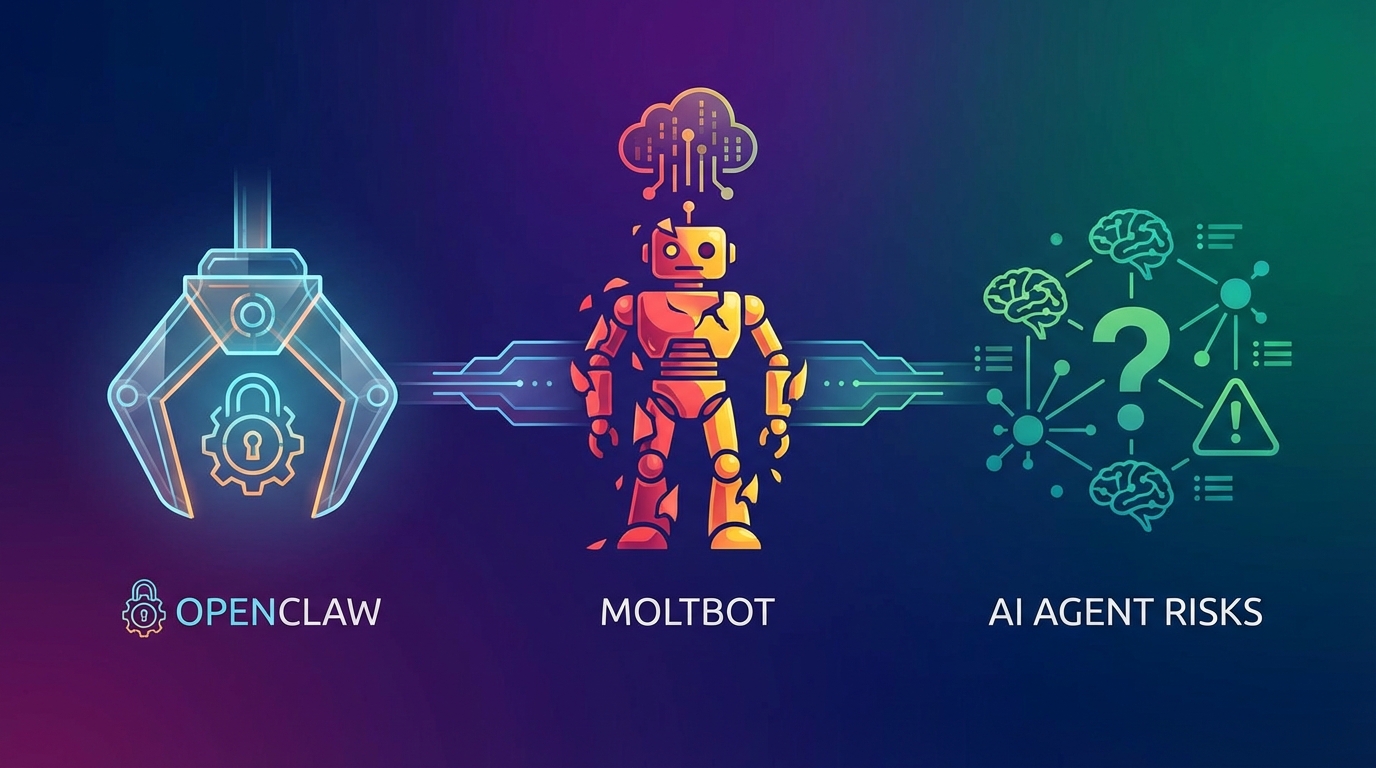
ClawBot Explained: OpenClaw, MoltBot & AI Agent Risks
Somewhere around early 2026, a strange thing started happening in developer communities and AI-focused corners of the internet. People kept mentioning ClawBot. Or was it Clawdbot? MoltBot? OpenClaw? Some people were even calling it "Claebot." The confusion was real, the excitement was intense, and the security debates were getting heated. All of it pointed back to a single open-source project that had captured the attention of tens of thousands of developers and AI enthusiasts worldwide.
So what's actually going on here? Let's untangle the naming mess, explain what the technology does, look at how people are using it in the real world, and dig into the serious risks that come with handing an AI agent the keys to your computer.
What Is ClawBot (Now OpenClaw)?
At its core, OpenClaw — the project's current and official name — is an open-source AI agent framework created by developer Peter Steinberger in late 2025. According to DigitalOcean, it turns a local computer into a 24/7 personal assistant by bridging the gap between Large Language Models (LLMs) like Anthropic's Claude or OpenAI's GPT-4 and a user's local operating system.
Read also: Claude Code + n8n Automation: 3 GSD Framework Wins
Calling it a "chatbot" would sell it short. Way short. Standard chatbots generate text responses in a browser window. OpenClaw runs on the user's own hardware and connects to everyday messaging apps — WhatsApp, Telegram, Signal, Discord — to perform actual tasks on the computer. It can execute shell commands, read and write files, manage calendars, browse the web, and monitor running processes.
How It Works: The Architecture
According to Codecademy's tutorial on the project, OpenClaw runs as a Node.js service on the user's machine. Here's what sets it apart:
- Local-First Design: The agent runs entirely on the user's hardware — a Mac Mini, a Raspberry Pi, or even an NVIDIA GeForce RTX-equipped desktop, as noted by NVIDIA's coverage of the project. User data stays on the machine. Only the necessary text gets sent to the LLM API for processing.
- Chat App Interface: No dedicated application. No command-line interaction required. Users communicate with their agent through the messaging apps they already use daily. You text it on WhatsApp the same way you'd text a friend.
- Persistent Memory: Unlike web-based chatbots that reset every session, OpenClaw maintains a "soul file" (typically
soul.md) and a persistent database of past interactions. This lets it learn user preferences and hold context over weeks or months. - Proactive Behavior: The agent can act on its own initiative based on standing instructions. Tell it "Message me when this server process finishes," and it will monitor the process and ping you when it completes.
This combination — local execution, persistent memory, chat-based interaction — is exactly why influencers and tech writers have dubbed it the first accessible "24/7 AI employee." One that works while you sleep.
Untangling the Names: ClawBot, Claebot, MoltBot, and OpenClaw
The biggest source of confusion around this project? Its rapidly shifting identity. If you've spotted different names floating around and wondered whether they're separate projects, forks, or competitors, the answer is simpler than you'd expect: they're all the same project. According to Wikipedia's entry on OpenClaw, trademark disputes and branding decisions during a period of explosive growth drove the name changes.
Read also: How QR Codes Help Hotels: Enhancing Guest Experience and Operations
Here's how it played out:
Clawdbot / ClawBot (November 2025 – January 2026)
The project launched as "Clawdbot" (sometimes written "ClawBot"), a playful portmanteau referencing Anthropic's "Claude" model — the primary LLM it was designed to work with. During this initial phase, it gained traction among developers and early adopters in the AI community.
MoltBot (Late January 2026)
The clever name didn't survive long. Anthropic filed a trademark complaint over the similarity between "Clawdbot" and "Claude," and Peter Steinberger rebranded the project to "MoltBot." The new name leaned into a lobster theme — lobsters molt their shells to grow — which served as both a nod to the forced rebrand and a metaphor for the project's evolution. Clever, but short-lived.
OpenClaw (February 2026 – Present)
This time the change wasn't legal — it was practical. According to the project's history documented on Wikipedia, Steinberger renamed it again to "OpenClaw" because "MoltBot" was difficult to pronounce and hard to market effectively. OpenClaw is now the official and presumably permanent name.
What About "Claebot"?
If you've seen "Claebot" pop up in forum discussions or social media posts, don't bother searching for a separate repository. Based on the research, "Claebot" is simply a typo or misspelling of the original "Clawbot" or "Clawdbot" that spread through user discussions. It doesn't represent a separate fork or alternative project.
So to be clear: ClawBot = Clawdbot = MoltBot = OpenClaw = the same project. "Claebot" is just a misspelling. If you want the current, active version, search for OpenClaw.
Does It Actually Make Sense? Feasibility and Logic
A local AI agent that manages your computer through chat messages — it sounds futuristic, maybe even too good to be true. But the project represents what many in the industry see as a logical and inevitable step forward: the evolution from "chatbots" to "agents."
Read also: Build AI Agents with Claude and n8n in 2026
The Privacy Advantage
One of the strongest arguments in OpenClaw's favor is its local-first architecture. Running on the user's own hardware addresses one of the most persistent concerns about cloud-based AI assistants: privacy. Your files, notes, calendar entries, and personal data stay on your machine. Only the text necessary for the LLM to process a request leaves your system. For businesses and individuals handling sensitive information, that's a meaningful distinction from cloud-hosted AI employee services.
The Cost Argument
OpenClaw also makes an interesting economic case. The software itself is free and open-source. Users pay only for the API tokens they consume when using cloud-based models like Claude or GPT-4. Want to eliminate even that cost? NVIDIA has documented how users can run OpenClaw with local models via tools like Ollama on GeForce RTX hardware, making the entire stack essentially free after the initial hardware investment.
Compare that to the growing number of commercial "AI employee" SaaS platforms charging hefty monthly subscription fees for similar functionality. For technically capable users, OpenClaw delivers comparable results at a fraction of the ongoing cost.
Context That Persists
The most compelling technical feature might be the persistent memory system. Anyone who's used a standard chatbot knows the frustration of starting every conversation from scratch. OpenClaw's "soul file" and interaction database mean the agent genuinely learns how you work, what you prefer, and what you've asked it to do before. Over weeks and months, this creates an increasingly personalized and useful assistant — one that actually gets better the longer you use it.
Real Use Cases: What People Are Actually Doing With It
The theoretical appeal is obvious. But what are people actually doing with OpenClaw day to day? Based on community reports and coverage from outlets like Medium and Lifehacker, the use cases range from simple convenience to genuinely transformative workflow automation.
Read also: Claude Code for Beginners: Setup, Tips & First Project
Server and Infrastructure Management
This is one of the most popular use cases among developers. Users instruct their agent with commands like: "Check the logs on my home server and restart the Plex service if it's down." The agent monitors processes, parses log files, and takes corrective action — all while the user is asleep or away from their desk.
Coding Assistance
Developers are using OpenClaw as a hands-on coding partner that goes well beyond suggesting code snippets. Because it has actual file system access, users can tell it to "refactor the Python script in my projects folder and run the tests." The agent modifies files, executes test suites, and reports back with results. That's a significant leap beyond copy-pasting code from a chat window.
Personal Administration
On the personal productivity front, users are delegating calendar management and email drafting. A typical instruction: "Check my calendar for conflicts next week and draft emails to reschedule the Tuesday meeting." The agent handles the tedious coordination work while the user focuses on higher-value tasks.
Information Processing
OpenClaw also works as an intelligent information pipeline. Users report asking it to "summarize the latest PDF I downloaded and send the key points to my WhatsApp." The agent reads the document, processes it through the LLM, and delivers a concise summary directly to the user's preferred messaging app.
Smart Home Integration
According to Adafruit's coverage of running OpenClaw on Raspberry Pi hardware, enthusiasts are integrating the agent with home automation APIs to control smart home devices via natural language chat. Instead of opening a dedicated smart home app, users simply text their agent to adjust the thermostat, turn off lights, or check security cameras.
The Viral Phenomenon: Why It Exploded
Even by the standards of the fast-moving AI space, OpenClaw's growth has been remarkable. According to multiple sources, the project amassed over 60,000 GitHub stars in just days during its January 2026 viral moment. It went on to hit 100,000 GitHub stars in roughly eight weeks — a historic growth rate for an open-source tool.
What fueled the viral adoption was a compelling narrative: the idea that anyone could have their own "AI employee" running 24/7 on a cheap piece of hardware. As Lifehacker reported, this narrative had tangible real-world effects. Reports indicate a noticeable spike in Mac Mini sales and secondary market activity for Raspberry Pi 5 units, as enthusiasts rushed to buy dedicated, always-on machines to host their agents.
According to Medium, one user documented deploying their own OpenClaw agent in just four minutes — reinforcing the perception that this was accessible technology, not an enterprise-only tool.
The Risks: Why Security Experts Are Worried
For all its promise, OpenClaw comes with serious risks. Security experts have been vocal about them. Lifehacker's coverage was notably cautious, with the headline suggesting that while enthusiasts are running Clawdbot on their Mac Minis, "you probably shouldn't." Here's why they're concerned.
The Fundamental Security Problem
Giving an AI agent full terminal and file system access to a computer is inherently dangerous. If the underlying LLM hallucinates or misinterprets a command — say, generating something like rm -rf / (which deletes all files on a system) — the consequences could be catastrophic. A human would immediately recognize that command as destructive. The agent might execute it without hesitation if it believes it's fulfilling the user's intent.
Granting sudo or administrative access amplifies this risk exponentially. A single hallucinated command could wipe an entire system, corrupt critical files, or expose sensitive data.
Prompt Injection Attacks
This is perhaps the most insidious risk. Because OpenClaw reads messages from chat applications, a malicious actor could theoretically send a crafted message — through a WhatsApp group the user belongs to, for instance — that tricks the agent into executing harmful commands. The agent can't reliably distinguish between a legitimate user instruction and a cleverly disguised attack embedded in a chat message. That means it could be manipulated into taking destructive or data-exfiltrating actions.
What makes this attack vector especially alarming is that it doesn't require the attacker to have any direct access to the user's machine. They only need to send a message to a channel the agent monitors.
Unpredictable API Costs
The software is free, but running high-intelligence models like Claude 3.5 Opus or GPT-5 via API around the clock can rack up significant monthly bills. Estimates suggest costs can range from $50 to $200 or more per month if usage isn't carefully monitored. For users who set up their agent and forget about it, an unexpected bill could be a rude awakening.
The Technical Barrier
Despite the availability of "one-click" installers, properly setting up and securing OpenClaw requires genuine technical knowledge. Users need to manage API keys, configure terminal access, set up network security, and understand the implications of the permissions they're granting. For non-technical users drawn in by the viral hype, this creates a dangerous gap between perceived simplicity and actual complexity.
Some experts have raised broader concerns about reliability, too. The demos look impressive, but current LLMs simply aren't reliable enough for unsupervised system access — that's the argument. A tool that works correctly 95% of the time sounds great until you consider that the remaining 5% could include deleting important files or sending embarrassing emails.
What This Means for Business Process Automation
OpenClaw's explosive growth signals something important about where AI-powered automation is headed. The demand for AI agents that can perform real tasks — not just generate text — is enormous. The fact that tens of thousands of users are willing to accept significant security risks to have an always-on AI assistant says a lot about the appetite for genuine workflow automation.
For organizations watching this space, the key takeaways are straightforward:
- Agents are here. Users want AI that does things, not just AI that says things. The shift from chatbots to agents is accelerating fast.
- Security can't be bolted on later. The risks OpenClaw exposes — prompt injection, hallucinated commands, unsupervised access — are challenges that any agent-based automation platform must solve before enterprise adoption becomes viable.
- Local-first and privacy-conscious architectures resonate. Users and businesses alike gravitate toward solutions that keep sensitive data under their control.
- Cost transparency matters. The open-source, pay-per-token model is attractive, but unpredictable costs remain a barrier to confident adoption.
Whether OpenClaw itself becomes a lasting tool or a stepping stone to more polished solutions, it has undeniably shown that the future of productivity lies in AI agents that can take action on our behalf. The challenge now is making that future safe, reliable, and accessible to everyone — not just the technically adventurous.
Need AI-powered automation for your business?
We build custom solutions that save time and reduce costs.